
Hybrid Work Needs Hybrid Tools: Analog Freedom, Digital Traceability
Grenoble - February 23, 2026
TL;DR: What hybrid teams need from modern collaboration tools
Hybrid work is now a stable operating model, not a temporary phase.
Most meetings happen in meeting rooms—yet many still include remote participants.
Meeting equity breaks down when the room has better access to the “real” conversation and visuals.
The best workflow combines analog speed (markers, sticky notes) with automatic digital capture.
Tools win when they reduce setup friction and fit enterprise room standards.
Hybrid work trends in 2026: why hybrid is now the default operating model

Hybrid work adoption data: why this isn’t going away
Hybrid work has moved from exception to operating norm. Gartner data (March 2023, knowledge workers) shows that by end of 2023, the global share of hybrid workers reached 39% (up from 37% in 2022), while full remote declined to 9%, confirming a durable baseline rather than a temporary perk. In the US, hybrid reached 51% and hybrid + remote totaled 71%, leading globally; in Europe, patterns vary (Germany 49% hybrid + remote; UK 67% hybrid + remote), while Japan remains more office-forward (29% hybrid + remote). The takeaway is simple: teams now move between office, home, and on-the-go, so collaboration has to stay consistent without forcing people to relearn the workflow every time they change location.
Meeting room reality in hybrid work: why “return to office” means “return to meeting rooms”
As organizations intensify RTO, many are also seeing RTMR (Return-to-Meeting-Room). In the Jabra Hybrid Ways of Working Global Report (June 2023), 62% of meetings happen in meeting rooms—and about half of those in-room meetings include online participants. That reality exposes the gap between a connected meeting room and a room that is simply a physical space with laptops. The practical point is that the meeting room has become the stage for hybrid collaboration, so whatever happens on the room’s collaboration surfaces must be equally accessible to everyone.
Meeting equity in hybrid meetings: what it means and why it matters
Meeting equity is the practical goal that everyone can contribute, be heard, and follow the thread—whether they are remote or in-room. When participation parity is low, ownership of decisions becomes uneven, and hybrid meetings can feel like “spectating” for people on the grid. Guidance like Gensler’s Equity Through Design: How to Improve Hybrid Meetings highlights that equity is not only a tech problem, but also a design and norms problem—rooms, tools, and facilitation must work together. In other words, equity is a performance requirement: if people can’t participate equally, you don’t just lose engagement—you lose better decisions.
How collaboration tools shape culture in hybrid teams
Tools shape behaviors. When visual collaboration is easy, sketching in meetings, building maps, and iterating in brainstorming sessions becomes natural—and more voices join in. When collaboration friction is high, only a few “power users” drive outcomes, and others stay quiet. The explicit reality is that procurement choices become cultural choices: the tools you standardize determine who participates, how fast teams converge, and whether ideas survive past the meeting.
Why hybrid meetings still feel unequal: the most common causes

Room-first bias in hybrid meetings: why remote attendees lose influence
Room-first bias is the default gravity of hybrid meetings: side conversations, gestures, and proximity influence decisions before remote attendees can react. The result is not only less airtime for remote voices, but also weaker decision traceability because the “real” discussion can happen off-mic. The point to make explicit is that inequity isn’t always intentional—it’s often the natural outcome of the room having more bandwidth than the call.
Analog whiteboards in hybrid meetings: fast for the room, hard for remote
Sticky notes and fast marker sketches can be the highest-bandwidth form of ideation in a room. But when an analog whiteboard is only visible through a distant camera, remote participants often get partial content, poor legibility, and delayed context. Even if they can see, they may not be able to contribute in real time—turning visual thinking into a one-way broadcast. The blunt truth is that if remote people can’t read it and can’t edit it, it’s not collaboration—it’s a presentation.
Audio and video quality in meeting rooms: why AV is inclusion infrastructure
Audio video quality is more than “nice to have”; it is social infrastructure. In Jabra’s findings, 64% say seeing and hearing colleagues makes trust easier, which matters for hybrid collaboration and meeting outcomes. If camera and microphone setup is weak, remote participants feel less present, and the meeting room experience turns into a subtle exclusion mechanism. The key point is that when AV is poor, every other “equity” fix becomes harder—because people are already struggling to simply follow along.
Analog vs digital whiteboarding: how to combine analog freedom with digital traceability

Analog freedom for brainstorming: why teams still reach for markers
Analog freedom is the ability to sketch, erase, and iterate without menus, modes, or latency. It supports unstructured exploration and encourages broad participation because it feels familiar—especially during workshops and early-stage ideation. Research on handwriting underscores cognitive benefits tied to attention and memory, which is one reason teams still reach for markers and paper during complex thinking; see National Geographic’s Benefits of handwriting in the digital age. The explicit takeaway is that speed and comfort create participation, and participation is what makes brainstorming productive.
Digital traceability for meetings: how to stop losing decisions and context
Digital traceability is the ability to capture, share, and retrieve what happened: decisions, rationales, iterations, and artifacts. It is essential for distributed teams working across time zones, and it reduces knowledge loss when outcomes live only inside a room. The point is straightforward: if the output can’t be found later, your “collaboration” doesn’t scale beyond the people who were physically present.
Analog-to-digital whiteboard workflow: the bridge hybrid teams actually need
The practical answer is an analog-to-digital workflow that preserves the speed of physical creation while ensuring continuity. Instead of forcing teams to choose between analog and digital whiteboarding, hybrid work needs a bridge: ideas should move from collaboration surfaces to shared repositories without manual translation. The explicit benefit is less rework—because teams can keep momentum from ideation through execution without restarting the conversation for whoever wasn’t in the room.
Effortless knowledge capture in hybrid workshops: why “someone will upload it” fails
Knowledge capture fails when it depends on heroics. If someone must remember photos, exports, naming conventions, and uploads, the trail will be incomplete. Reliable capture must be automatic or near-effortless, fitting into real behaviors. Microsoft Research makes a similar point about preserving natural affordances while improving digital ink in Everyday analog pen use: an investigation of the benefits of analog and digital ink experiences. The core idea is that the best system is the one that captures work as a byproduct of doing the work—not as an extra job at the end.
Best hybrid ideation tools: what to look for (features that drive adoption)
Spontaneous collaboration in hybrid work: tools must start fast
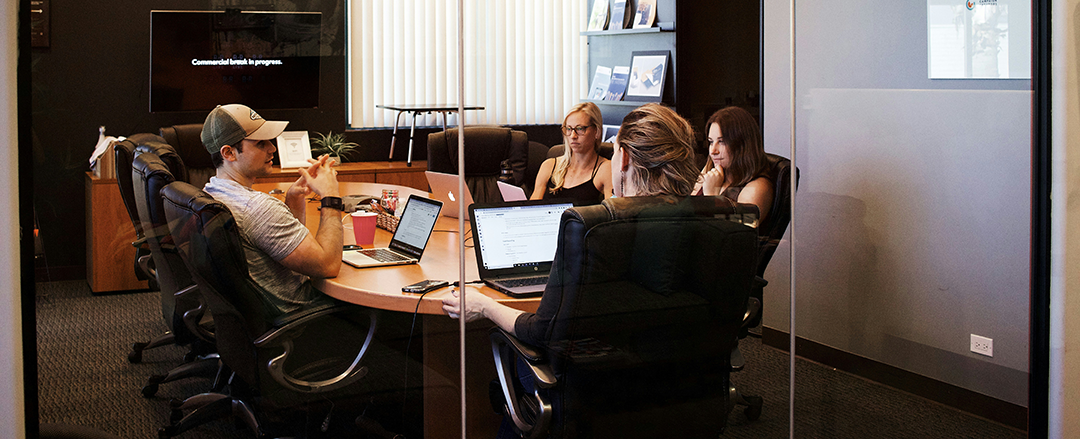
Spontaneous collaboration is where many real decisions begin: quick stand-ups, impromptu reviews, and ad hoc problem-solving that isn’t on the calendar. Jabra notes a shift toward more informal interactions even as meeting patterns evolve—so tools must work in those moments, not only in planned workshops. The explicit requirement is “time-to-first-mark”: if it takes more than a minute to start, teams will default back to the nearest marker and hope someone captures it later.
Visual thinking for remote and in-room participants: make contribution equal
To enable visual thinking in hybrid meetings, the tool must deliver clarity and real-time access for everyone. Remote participants should see content clearly, follow changes as they happen, and contribute without asking the room to “be their hands.” The concrete point is that equity shows up in small details—legibility, shared control, and real-time updates—because those details determine who can shape the outcome.
Consistent meeting room experience across offices: why standardization matters
Enterprises need cross-site consistency: a predictable collaboration experience across office types, regions, and room sizes. Consistency reduces training overhead, supports change management, and improves participation parity because people know what to expect. The bottom-line point is that a repeatable room experience is what turns hybrid meeting quality from luck into a managed standard.
Hybrid meeting room rollout best practices: how to reduce friction at scale

Design hybrid collaboration workflows for real behavior (not ideal behavior)
People do what feels fastest in the moment. If the “correct” workflow is slower than grabbing a marker, it will be bypassed. Deployment should therefore be designed around real behaviors: entering a room late, starting quickly, inviting one remote colleague, and capturing output without thinking about it. The explicit principle is to make the equitable workflow the default workflow—because defaults are what stick under time pressure.
Meeting room tech training that works: lightweight guidance in the room
Even intuitive systems benefit from lightweight enablement. Jabra highlights that 30% hesitate to take meetings from a room because they are less comfortable with meeting-room tech than with a personal laptop. Simple in-room instructions, short training moments, and clear support channels reduce failed starts. The key point is confidence in the first minute: when people feel competent immediately, they’ll use the room instead of avoiding it.
Align IT, AV, and facilities for hybrid rooms: why coordination drives equity
Hybrid meeting equity tools sit at the intersection of IT and facilities and AV. If room layout is designed separately from audio pickup, camera placement, and collaboration surfaces, outcomes vary wildly across rooms. Alignment means considering sightlines, audio video quality, and where people naturally stand to sketch. The explicit message is that “hybrid experience” is a system outcome—if one component is off, equity and adoption drop together.
Hybrid work norms by region: how to localize without fragmenting
Global organizations must localize by culture and norms. Jabra’s cross-country differences show that preferences for using desks versus meeting rooms vary by geography, and expectations around privacy, camera use, and etiquette differ as well. A one-size policy can reduce adoption and even harm inclusive meetings. The explicit goal is a stable baseline with flexible entry points: standardize the experience, then allow local teams to adapt how they use it day to day.
From hybrid theory to real-world execution with AMI
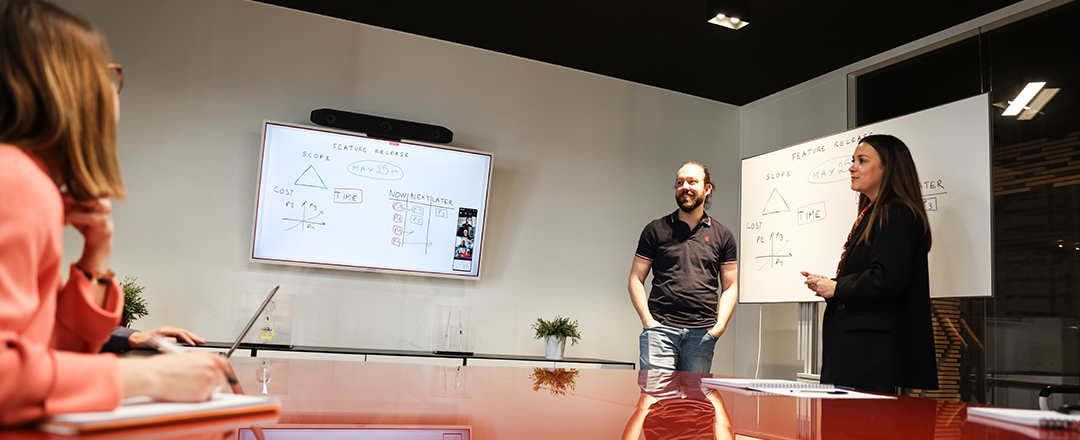
The principles outlined above—meeting equity, analog freedom, and digital traceability—only matter if they can be delivered reliably in real meeting rooms, at scale. That is where AMI (Advanced Magnetic Interaction) comes in. AMI focuses on bridging the gap between how teams actually collaborate in rooms and the digital systems enterprises depend on afterward. By enabling familiar, marker-based collaboration while automatically generating a digital trail, AMI aligns hybrid work theory with everyday behavior. The result is not a new workflow teams must learn, but an invisible layer that preserves speed, inclusion, and continuity—turning hybrid collaboration from an aspiration into a repeatable, enterprise-ready reality.
FAQ: Hybrid meeting tools, meeting equity, and digital whiteboarding
What is the best whiteboard setup for hybrid meetings?
The best setup makes the whiteboard readable to remote attendees and easy for them to contribute to in real time. Practically, that means pairing an in-room surface people will actually use with a reliable way to share and capture the content digitally.
How do you improve meeting equity in hybrid meetings?
You improve meeting equity by removing the room’s unfair advantages: side conversations, invisible visuals, and unclear audio. Standardizing a workflow where everyone can see, hear, and add to shared materials makes equity repeatable instead of dependent on a great facilitator.
What should hybrid collaboration tools integrate with?
At minimum, they should fit the organization’s standard conferencing platform. Integrations reduce tool-switching, simplify invitations and access, and make it easier for IT to support the workflow consistently.
How do you capture whiteboard notes automatically after a meeting?
You need a workflow where capture is automatic or near-effortless, not dependent on someone taking photos and uploading them later. The goal is a durable digital artifact that’s easy to share, retrieve, and reference when decisions come up again.